
Replacing the drum
Article [1006]
To replace the dum you need to:
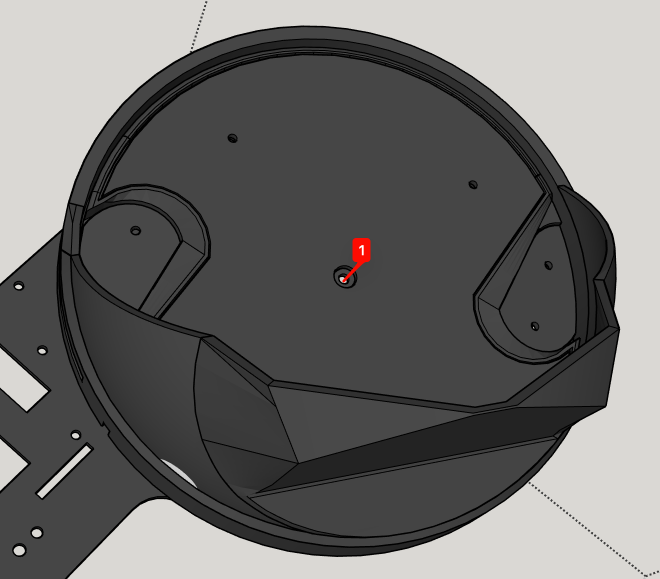
- Unscrew the hex screw in the rotor (the black rotating disk with hoppers, in the middle of the drum)
- Lift the disk from the bottom (push it up through the hexagonal holes in the metal base of the drum). Watch the drum-rotor bearing that may fall down while lifting the rotor.
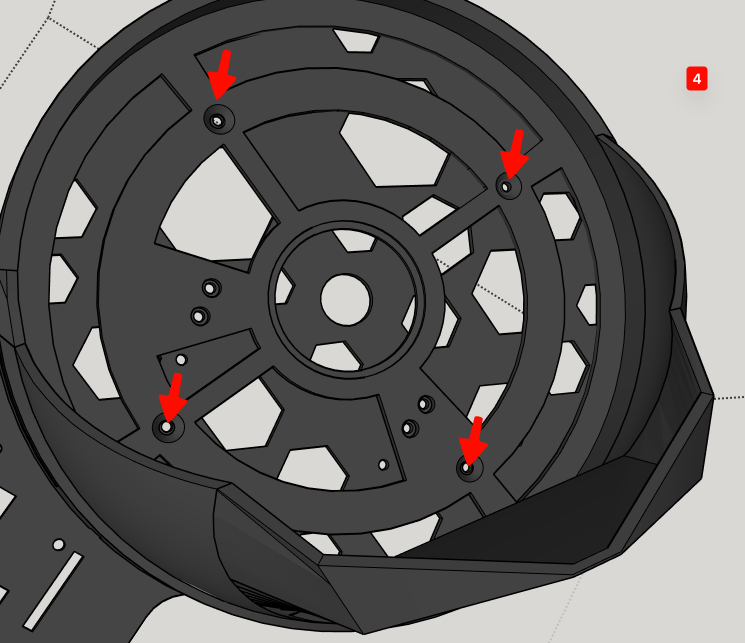
- Unscrew the 4 hex screws now visible at the bottom of the drum.
- Replace the drum with a new one (fit it in the same position as the one you just removed) and screw it back in place with the 4 hex screws.
- Place the bearing in the center of the new drum's bottom.
- Fit the rotor back in place (rotate it until fits - it has 2 positions that will work, both are ok) and screw it back with the screw you removed in step 1.
- Enjoy your Robocoin!
Article permalink: /kb/faq/replacing-the-drum